
OpenRGB
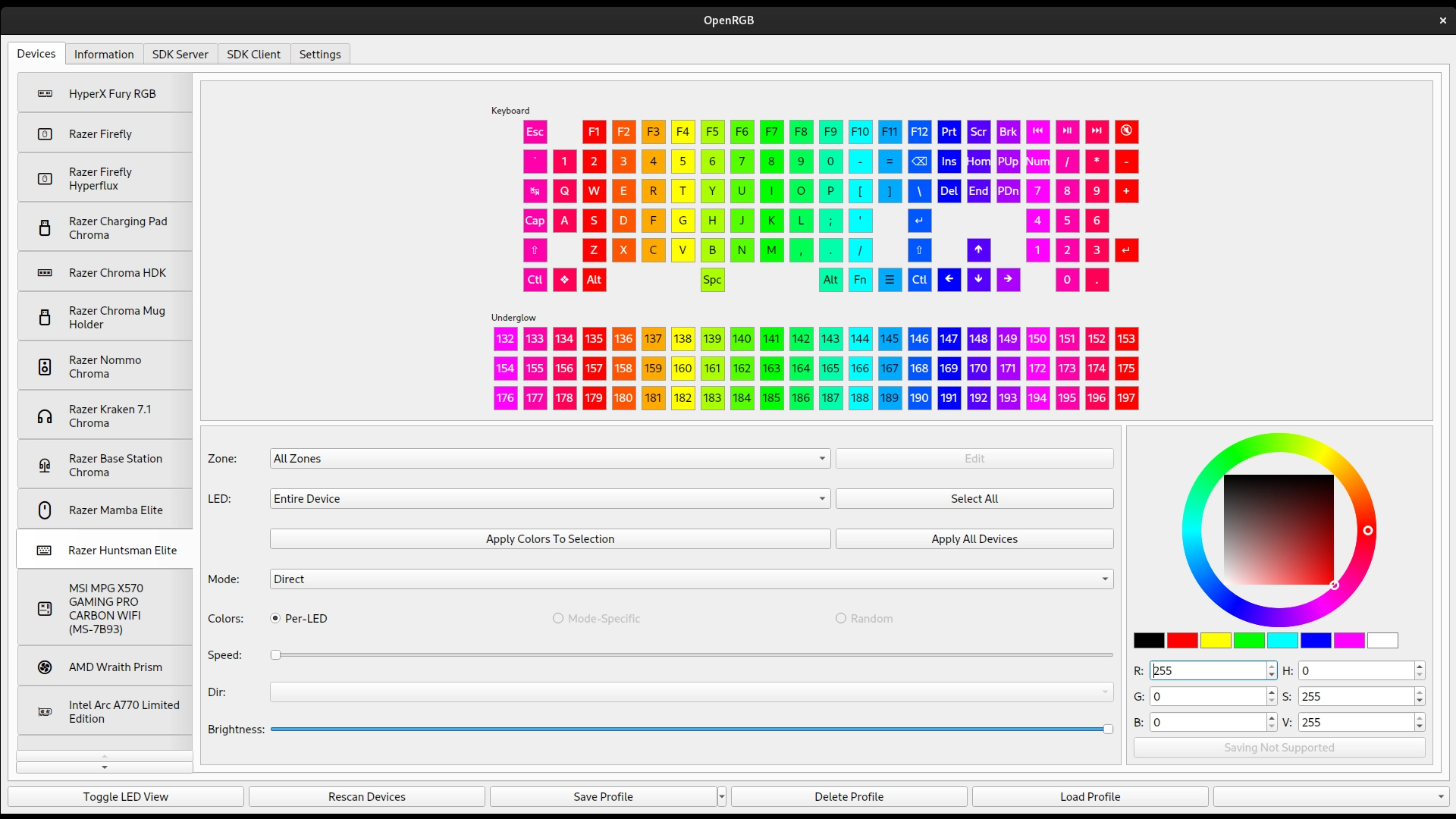
OpenRGB is an open-source RGB lighting control software that enables users to manage and synchronize RGB lighting across different hardware brands without needing proprietary software.
📥 Installation
Section titled “📥 Installation”OpenRGB can be installed via Batocera Unofficial Add-Ons (BUA). To install:
- Open Batocera Unofficial Add-Ons from the Ports menu.
- Browse the available add-ons and locate OpenRGB.
- Select Install and wait for the installation to complete.
- Once installed, OpenRGB will be available in Ports.
🎮 How to Use
Section titled “🎮 How to Use”- Navigate to Ports in Batocera.
- Locate OpenRGB and launch it.
- Detect compatible RGB devices connected to your system.
- Customize lighting effects, colors, and brightness.
- Save profiles for different lighting configurations.
⚙️ Configuration
Section titled “⚙️ Configuration”- Device Detection: Supports various RGB hardware from brands like ASUS, Corsair, MSI, and more.
- Custom Effects: Set static colors, breathing effects, or dynamic lighting.
- Sync Options: Synchronize lighting across multiple devices.
- Profiles: Save and switch between different lighting setups.
🛠️ Troubleshooting
Section titled “🛠️ Troubleshooting”| Issue | Solution |
|---|---|
| OpenRGB not launching | Re-run the installer, check the troubleshooting guide if the issue persists. |
| Devices not detected | Ensure your RGB devices are supported and check connection settings. |
| Settings not saving | Run OpenRGB as administrator to allow configuration changes. |
| Lighting effects not applying | Restart OpenRGB and try different settings. |